Checklist: Verifying Die Pressure and Back Pressure for Profile Extrusion
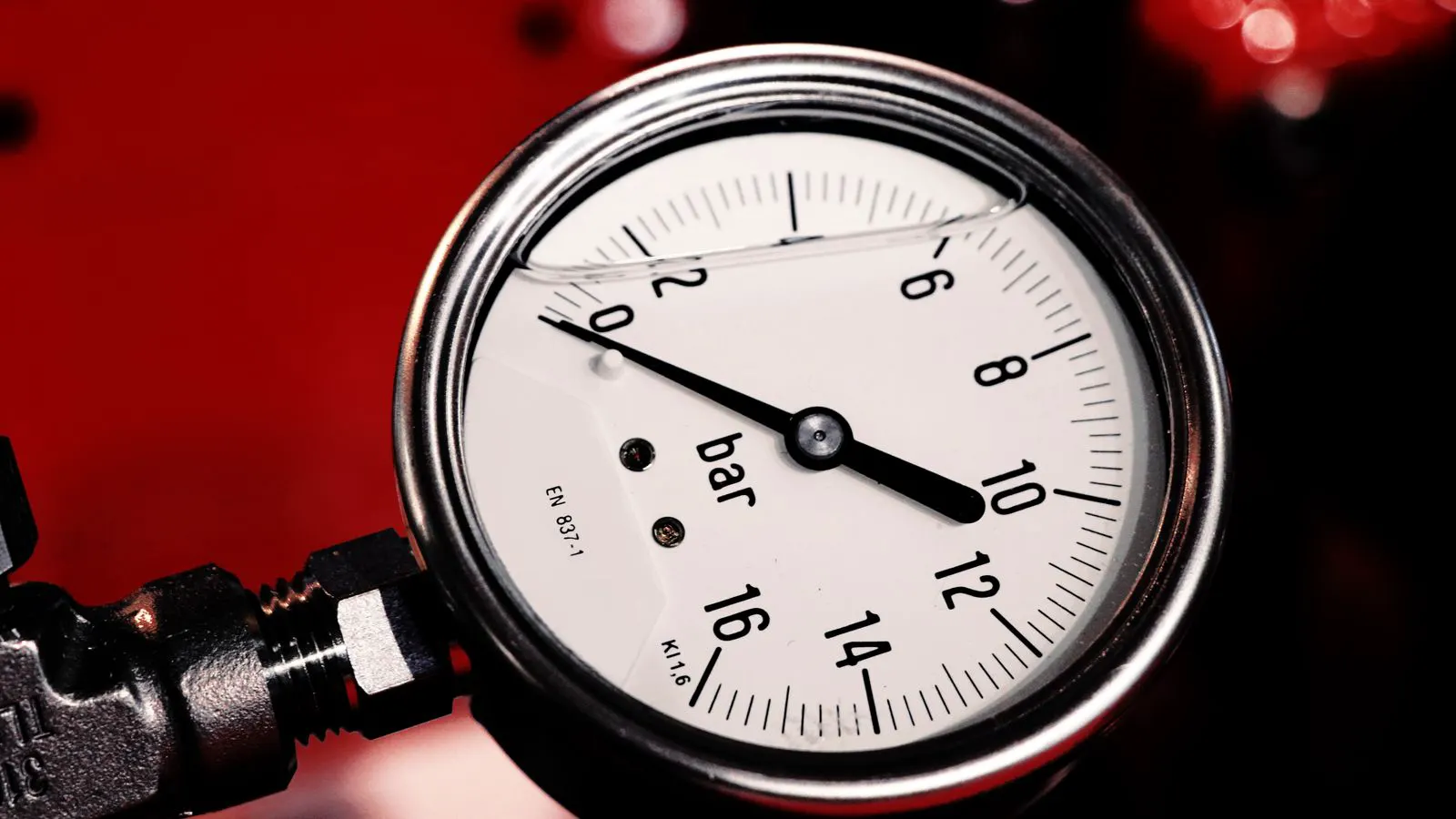
This guide provides a structured checklist for verifying die pressure and back pressure settings. It helps operators confirm process parameter checks before profile extrusion. The checks cover melt temperature, die gap, and pressure readings to ensure stable output.
- Verify die pressure readings against the machine baseline before starting a production run.
- Check back pressure settings to ensure the melt is fully plasticized and stable.
- Monitor pressure fluctuations to detect filter clogs, die fouling, or feed issues early.
- Record process parameter checks in a log to track consistency across shifts.
- Inspect die gaps and temperature profiles to prevent dimensional drift in extruded profiles.
Die pressure verification is the first line of defense against inconsistent profile extrusion. When pressure readings drift outside the expected window, the extruded part dimensions shift, the surface finish degrades, and scrap rates climb. A structured check before production prevents these failures from compounding during a long run.
This checklist is designed for operators and process engineers who need to confirm that the extruder is stable before releasing material to the line. It groups checks by theme to make the process quick and repeatable. The goal is not to troubleshoot a failure but to verify that the baseline conditions are correct. If a check fails, stop and address the cause before starting production.
Confirming the Baseline Pressure Reading
The first step is to compare the current die pressure reading against the baseline established during machine setup. This baseline is the pressure recorded when the extruder is running at the target speed and temperature, producing a known good profile.
- Record the current die pressure at steady state.
- Compare this value to the baseline value in the process sheet.
- Check the pressure sensor calibration date.
- Verify that the pressure reading is stable for at least five minutes before proceeding.
A reading that is consistently higher than the baseline suggests increased resistance in the melt path. Common causes include a partially clogged filter, a worn die lip, or a change in the polymer batch that affects melt viscosity. A reading that is consistently lower than the baseline indicates a leak, a die gap that is too wide, or insufficient back pressure.
Red flags:
- Pressure reading fluctuates by more than 5 percent of the setpoint.
- Reading is significantly higher than the baseline without a change in recipe.
- Reading is significantly lower than the baseline after a filter change.
Checking Back Pressure Settings
Back pressure is the counterforce applied to the melt at the die exit. In profile extrusion, it stabilizes the melt density and helps maintain a consistent cross-sectional shape. If the back pressure is too low, the melt can expand unevenly as it leaves the die, causing the profile to swell or distort. If it is too high, the melt may degrade or the extruder may work against excessive load.
- Set the back pressure to the value specified in the process parameter sheet.
- Observe the melt exit for uniformity.
- Check for any visible swelling or distortion at the die exit.
- Verify that the back pressure gauge or sensor matches the setpoint.
The ideal back pressure setting depends on the polymer, the profile geometry, and the cooling conditions. A complex profile with thin walls may require a higher back pressure to keep the walls from collapsing. A simple round rod may require less. Always follow the machine and material manufacturer recommendations.
Red flags:
- Profile walls swell or bulge near the die exit.
- Profile cross-section changes shape as it moves away from the die.
- Back pressure gauge needle moves erratically or sticks.
Verifying Melt Temperature and Pressure Correlation
Die pressure and barrel temperature are linked. A change in temperature changes melt viscosity, which directly affects pressure. If the barrel temperature profile is not stable, the die pressure will fluctuate. This section ensures that the temperature settings are correct and that the pressure response matches expectations.
- Check the barrel temperature profile against the setpoint.
- Verify that all zones are within the target range.
- Confirm that the die pressure reading is consistent with the current temperature.
- Check for any thermal lag or overshoot in the temperature control system.
If the barrel temperature is too low, the melt viscosity increases, and the die pressure rises. If the temperature is too high, the viscosity decreases, and the pressure drops. The process parameter sheet should state the expected die pressure range for the given temperature. If the reading falls outside this range, investigate the temperature control or the melt path.
Red flags:
- Temperature zones are not stable within the target range.
- Die pressure changes when temperature changes, but the relationship is not linear.
- The die pressure reading does not match the expected value for the current temperature.
Inspecting the Die and Filter Path
Physical obstructions and wear in the melt path are common causes of die pressure drift. The die is the final shaping element, and any fouling or damage changes the flow area. The filter protects the die from contaminants, but it also adds resistance.
- Check the filter differential pressure if the machine is equipped with a sensor.
- Inspect the die for any visible fouling or wear.
- Verify that the die gap is set to the correct width.
- Check for any leaks at the die connections.
A clogged filter is a classic cause of rising die pressure. The pressure builds up because the melt has to push through less open area. The filter should be cleaned or replaced when the differential pressure exceeds the limit set by the machine. A worn die lip creates a larger flow area, which lowers the pressure and can cause dimensional drift.
Red flags:
- Filter differential pressure is high or rising during the run.
- Die lip shows visible wear or uneven fouling.
- Die gap is wider than the specified tolerance.
- Oil or other fluids are visible at the die connections.
Monitoring Pressure Stability Over Time
A single pressure reading is a snapshot. Production quality depends on stability over time. The checklist requires monitoring the pressure trend during the first hour of production. This helps identify slow drifts that a static check might miss.
- Record die pressure at 15 minute intervals.
- Plot the readings on a trend chart.
- Look for any upward or downward drift.
- Check if the drift correlates with any change in feed rate or temperature.
An upward drift suggests increasing resistance. This can be caused by filter clogging, material degradation, or a change in the material batch. A downward drift suggests decreasing resistance. This can be caused by die wear, a leak, or a change in the material that lowers melt viscosity.
Red flags:
- Pressure drifts upward by more than 5 percent in the first hour.
- Pressure drifts downward by more than 5 percent in the first hour.
- Pressure readings jump or spike without a corresponding change in feed or temperature.
Documenting Process Parameter Checks
Documentation is not just for compliance. It is a tool for process control. When a problem occurs, the log provides a history of conditions that can help identify the cause. When a new operator takes over a shift, the log provides a clear picture of the machine state.
- Record all pressure readings and temperature settings in the process log.
- Note any adjustments made to back pressure or feed rate.
- Record the date and time of each check.
- Sign the log to confirm the checks were performed.
The process log should be kept with the machine or in the central control system. It should be available to the quality team and the maintenance team. If a batch is rejected, the log helps trace the cause back to a specific time and condition.
Red flags:
- Pressure readings are not recorded in the log.
- Adjustments are made without being documented.
- The log is incomplete or missing for a shift.
Quick Reference: Pressure and Temperature Effects
The following table summarizes how changes in process parameters affect die pressure. Use this table to interpret readings quickly.
| Parameter Change | Effect on Melt Viscosity | Effect on Die Pressure |
|---|---|---|
| Barrel Temperature Increase | Decreases | Decreases |
| Barrel Temperature Decrease | Increases | Increases |
| Filter Clogging | Increases resistance | Increases |
| Die Gap Increase | Increases flow area | Decreases |
| Back Pressure Increase | Stabilizes melt | Increases |
| Back Pressure Decrease | Unstable melt | Decreases |
This table is a general guide. The specific effect depends on the polymer, the profile, and the machine. Always use the process parameter sheet as the primary reference.
Final Verification Before Production Start
Before releasing material to the line, perform a final check. This is a quick go or no go decision.
- Die pressure is within the baseline range.
- Back pressure is set to the target value.
- Barrel temperature profile is stable.
- Filter differential pressure is normal.
- Die gap and die condition are verified.
- Process log is up to date.
- Operator has signed the log.
If any of these checks fail, do not start production. Address the issue and repeat the checklist. A few extra minutes before start can save hours of scrap and rework later. The goal is a stable, predictable process from the first hour to the last.
Frequently asked questions
What is the typical die pressure range for profile extrusion?
The typical range depends on the polymer, die size, and machine size. A common range is 20 to 80 bar, but always follow the process parameter sheet for the specific material and profile.
How often should I check die pressure during production?
Check die pressure at least once per shift and every 15 minutes during the first hour of production. After that, a check every hour is sufficient for most stable processes.
Can a high back pressure cause material degradation?
Yes, excessive back pressure can increase shear stress and cause degradation, especially in sensitive polymers. Keep back pressure within the manufacturer recommended range.
What if the die pressure reading is consistently lower than the baseline?
A lower reading suggests a leak, a wide die gap, or low back pressure. Inspect the die connections, check the die gap, and verify the back pressure setting.
How do I know if the filter is clogged?
A clogged filter causes an increase in die pressure and a high filter differential pressure. If the machine has a filter sensor, monitor it. If not, check the pressure trend for an upward drift.