Checklist for Selecting Plastic Material Handling Auxiliaries
This audit checklist helps buyers verify compatibility for plastic material handling auxiliaries. It covers conveyors and feeders, sizing, and integration. Use it to confirm mechanical, electrical, and process compatibility before purchasing support systems for your production line.
- Verify mechanical compatibility between feeders, conveyors, and downstream equipment before purchase
- Match material handling rates to process capacity and check buffer sizing
- Confirm electrical, safety, and integration requirements match your facility standards
- Use a structured checklist to catch red flags that affect line reliability and throughput
Why Material Handling Auxiliaries Fail Before Production
Many plastic processing lines fail because the auxiliary equipment is selected after the main machine, not as part of the system design. A hopper that fits one pelletizer may not suit a different line speed. A conveyor that handles one material type may struggle with another. Buyers often overlook these details until installation, when changes are costly and delays are certain.
This checklist is designed for buyers and engineers who need a structured way to verify compatibility before purchasing conveyors and feeders and other material handling auxiliaries. Each section asks a specific question and gives a short explanation plus red flags to watch for.
1. Does the feeder match the main machine input?
The feeder is the first point of contact between raw material and the processing machine. It must deliver material at a rate and form that the machine inlet can accept. Check the feeder type against the machine inlet design. A screw feeder may suit dense granules, while a gravity hopper with a screw auger may suit less dense material. A vibratory feeder may work for free-flowing pellets but may not handle sticky or agglomerated material.
Confirm the feeder output rate. If the main machine runs at a certain kg/hour, the feeder must be able to keep up at peak and at minimum throughput. An undersized feeder creates starvation, which causes cavitation and unstable output. An oversized feeder creates overfeeding, which can overfill the machine and cause poor mixing.
Red flags:
- Feeder output rate is below 100 percent of the main machine rated throughput
- Feeder is a gravity-only design but the material has poor flow characteristics
- The feeder outlet diameter does not match the machine hopper or inlet
- No adjustable speed control is available
2. Do conveyors and feeders handle the material correctly?
Not all plastic materials behave the same. Dry, free-flowing pellets move easily. Moist or sticky material clumps. Agglomerated material may bridge in hoppers. Conveyors and feeders must be chosen based on the actual material behavior, not just the nominal material type.
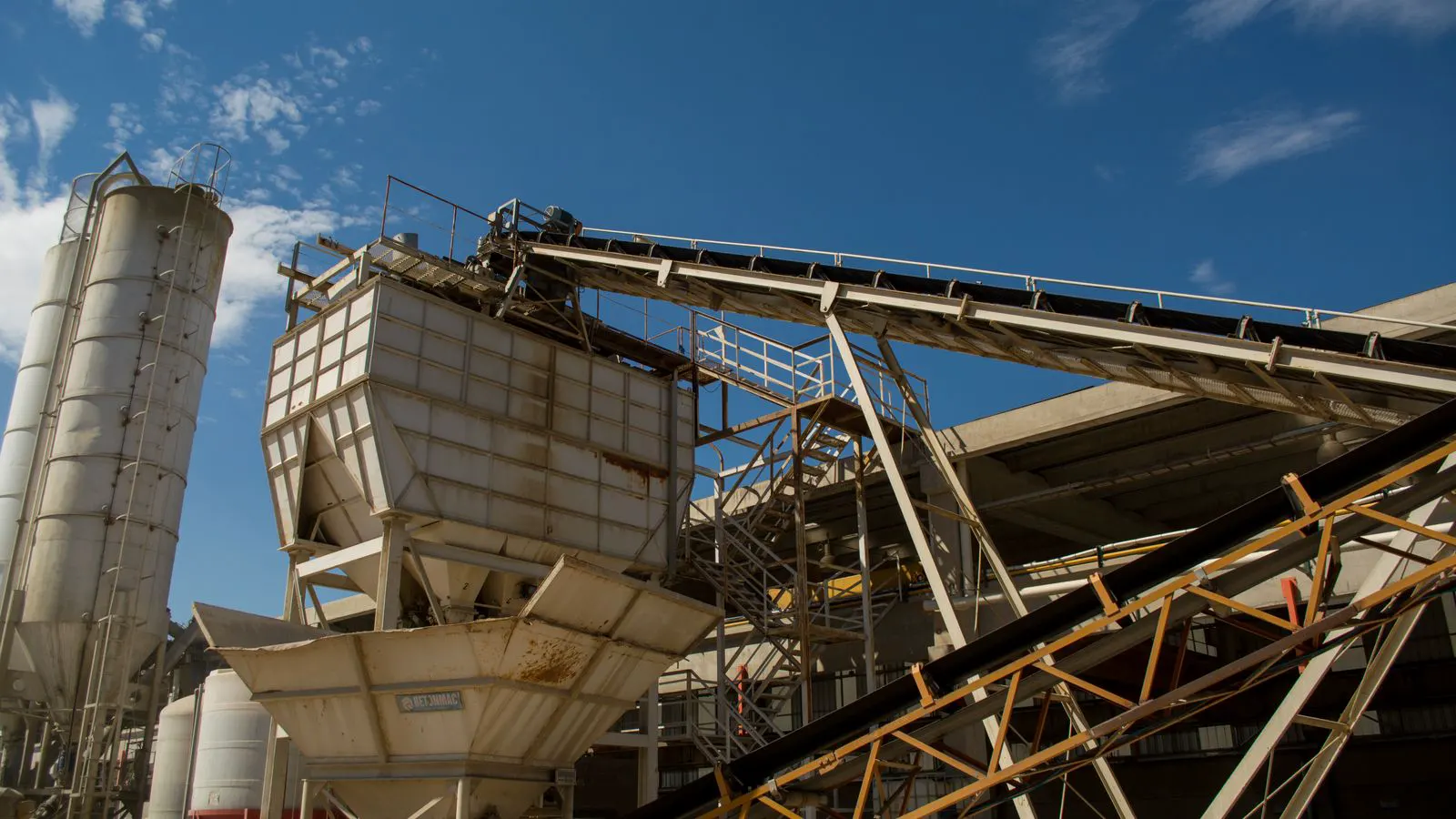
Check the conveyor type. Belt conveyors suit low speed and moderate load. Bucket conveyors handle vertical transport. Screw conveyors move material in enclosed lines and are better for dust control. Each type has limits on material temperature, moisture, and particle size. If the material is hot, the conveyor surface and structure must handle that heat. If the material is abrasive, the belt or screw may wear quickly.
Confirm the path layout. Long horizontal runs need slope control. Vertical lifts need adequate power and proper material loading. Tight bends can cause material to shift or spill. A straight, well-designed path reduces jams and maintenance.
Red flags:
- Conveyor is rated for a lower material temperature than the operating temperature
- The material is known to bridge or pack, but the conveyor has no anti-bridging design
- Long vertical lift without proper motor sizing
- Bends or transitions that are too tight for the particle size
3. Is the buffer sized for line stability?
A buffer between the feeder and the main machine smooths out short-term variations. Without enough buffer, a small hiccup in the feeder causes immediate starvation. With too much buffer, material may degrade or heat up. The buffer size depends on the line speed, material stability, and how much feed rate variation the system can tolerate.
Calculate the buffer in minutes of material. A common approach is to size the buffer for a short period of feed rate variation, not for an entire machine changeover. If the material is heat sensitive, keep the buffer small and ensure good airflow or cooling. If the material is stable, a larger buffer can reduce mechanical stress on the line.
Check the buffer shape. A simple cylindrical tank can work, but it may trap material at the bottom. A conical bottom or a shaped tank with a proper outlet helps material flow out completely. A dead zone in the buffer means material sits, heats, or degrades.
Red flags:
- Buffer is too small and causes frequent starvation
- Buffer is too large for heat sensitive material
- The buffer bottom has a dead zone
- No way to purge or clean the buffer quickly
4. Do the auxiliaries match the electrical and control system?
Auxiliary equipment does not operate in isolation. Each feeder, conveyor, and pump must fit the plant electrical and control system. Check voltage, frequency, phase, and power factor. A feeder that requires a different voltage than the main machine creates a retrofit problem. A conveyor that needs a variable frequency drive may not match the existing control cabinet.
Confirm the control interface. If the main machine has a PLC or a human machine interface, the auxiliaries should be able to communicate with it. A simple start-stop system may work for a small line. A larger line may need interlocks that stop the feeder when the main machine stops. This prevents overfilling and protects the machine.
Check the control logic. The feeder should not run when the main machine is down. The conveyor should not push material into a full buffer. Interlocks, level sensors, and flow sensors must be in the right places. A missing sensor can cause a failure that is hard to diagnose.
Red flags:
- Voltage or frequency mismatch between auxiliary and main machine
- No interlock between feeder and main machine
- Control cabinet has no spare capacity for additional drives
- Sensors are not listed as part of the package
5. Are safety and maintenance requirements met?
Material handling auxiliaries create new safety points. Moving belts, rotating screws, and hoppers are all potential hazards. Check the guards, emergency stops, and access points. A conveyor without proper guarding is a serious risk. A hopper with no access for cleaning is a maintenance nightmare.
Confirm the maintenance access. Can the belt be cleaned without dismantling the line? Can the screw be removed for inspection? Can the buffer be emptied and dried? If the design makes maintenance difficult, it will be done less often, and failures will increase.
Check the noise and vibration. High noise or vibration can affect nearby equipment and operator comfort. A well-designed auxiliary should have low vibration and be isolated from the main structure.
Red flags:
- No emergency stop within reach of the main operating position
- Moving parts are exposed
- No access for routine cleaning or inspection
- High vibration that transmits into the main machine frame
6. What is the integration plan and documentation?
Before purchase, confirm how the auxiliaries will be integrated into the existing line. A new feeder may require a new platform, a new power feed, and a new control cable. A new conveyor may change the floor layout. Without a clear integration plan, installation delays are likely.
Ask for the documentation. You need the mechanical drawings, electrical diagrams, control logic, and operating manual. You need the material compatibility list and the maintenance schedule. Without these, you are relying on verbal assurances, which are not enough.
Confirm the commissioning plan. Who will install the auxiliaries? Who will test them? Who will train the operators? A clear plan reduces the risk of a failed startup.
Red flags:
- No mechanical drawings or installation layout
- No electrical diagrams or control logic
- The supplier will not provide a commissioning plan
- The integration is left to the buyer to figure out
7. Is the vendor support and spare parts strategy clear?
Auxiliary equipment is only as good as its support. A feeder that fails in production will stop the line. You need to know how quickly a replacement part can be delivered and how the vendor will respond to a failure.
Confirm the spare parts strategy. Which parts wear out fastest? The belt, the screw, the bearings, the seals. You should be able to buy these parts without a long lead time. If the vendor sells a custom part with a six month lead time, that is a risk.
Check the service terms. What is covered under warranty? How are failures handled? Is there a response time for critical parts? A clear service agreement is part of the purchase decision.
Red flags:
- Critical spare parts have long lead times
- No clear warranty terms
- The vendor does not provide a service plan
- The parts are custom and not available from other sources
Quick Compatibility Table
| Check Item | What to Verify | Red Flag |
|---|---|---|
| Feeder output rate | Match to main machine throughput | Feeder rate below 100 percent of machine rate |
| Conveyor type | Match to material behavior and path | Conveyor not rated for material temperature |
| Buffer size | Sized in minutes of material | Dead zone in buffer bottom |
| Electrical system | Voltage, frequency, phase, power factor | Mismatch between auxiliary and main machine |
| Control interface | PLC communication and interlocks | No interlock between feeder and main machine |
| Safety features | Guards, emergency stops, access | Exposed moving parts |
| Maintenance access | Cleaning, inspection, part replacement | No access for routine service |
| Documentation | Drawings, diagrams, manuals | No commissioning plan |
| Spare parts | Lead time and availability | Critical parts have long lead times |
| Service terms | Warranty and response time | No clear service agreement |
Final Notes
Use this checklist as a pre-purchase audit. Walk through each section with the supplier and your engineering team. If an item is unclear, ask for written confirmation. If a red flag appears, do not proceed until it is resolved. A well-integrated auxiliary system improves line reliability and throughput. A poorly chosen one creates downtime and cost.
The goal is not to find the cheapest auxiliary. The goal is to find the one that fits the material, the machine, and the control system. That fit is what determines whether the line runs smoothly or whether you spend months troubleshooting.
Frequently asked questions
Can I reuse an existing feeder with a new main machine?
Only if the feeder output rate, outlet diameter, and material handling characteristics match the new machine. Verify the numbers before assuming compatibility.
What is the minimum buffer size for a stable line?
There is no single number. Size the buffer for a short period of feed rate variation, and keep it small for heat sensitive material.
Do auxiliaries need their own PLC?
Not always. A small line may work with a simple start-stop system. A larger line usually benefits from a shared PLC with interlocks.
How do I know if a conveyor is suitable for hot material?
Check the material temperature rating of the belt, structure, and fasteners. If the material exceeds the rating, the conveyor will fail.
What documents should I request before purchase?
Request mechanical drawings, electrical diagrams, control logic, operating manual, material compatibility list, and maintenance schedule.